Christmas party pre-order software: what UK pubs and restaurants need in 2026
Summary
Compare the ways UK pubs and restaurants take Christmas party pre-orders, with deposits, allergies and cut-offs. Build a free pre-order sheet today.
Christmas party pre-order software lets every guest in a party choose their own courses before the night, from one link, so the kitchen gets a counted prep sheet instead of a spreadsheet and fourteen emails. For UK pubs and restaurants there are three ways to do it: a free one-off tool, the pre-orders built into your booking system, or the spreadsheet you used last year. This guide compares them and shows how to choose.
Why are venues still taking Christmas pre-orders by spreadsheet?
Most venues still collect Christmas party choices by email, phone and spreadsheet because the organiser is the only person they talk to, and the organiser has to chase everyone else. Between June and October 2026, pre-orders came up on 10 of the 24 prospect calls we reviewed, one of the most common bookings questions alongside deposits and private hire.
The pattern operators described was the same. Choices arrive in dribs and drabs through the organiser. Someone types them into a spreadsheet. Allergies turn up as a note at the end, or not at all. The deposit gets chased by phone. Then the sheet is printed for the pass and is out of date by the time it gets there, because two people swapped their main.
Christmas makes it worse, because it is the same problem forty times in four weeks.
What should Christmas party pre-order software do?
Christmas party pre-order software should collect each guest's choice directly from that guest, close at a deadline you set, and turn the choices into a counted kitchen sheet with allergies against each name. If it only gives the organiser a form to fill in for everyone, it has moved the spreadsheet, not removed it.
The six things to check, whichever tool you look at:
One link for the whole party. The organiser shares it in the group chat and everyone picks their own courses on their phone, with no app and no account.
Your menu, your branding. Guests should see your logo and your dishes, not a generic form.
A cut-off that locks the form. After the deadline, no more changes without asking you.
Dietary needs per person. Allergies and dietary notes captured against each guest's name, not as one note for the table.
A counted kitchen sheet. Totals per dish, plus who is having what, ready to print for the pass.
Payments, if you need them. A deposit to hold the date, or each guest paying for their own meal.
What are the options for UK venues?
UK venues have three realistic routes for Christmas pre-orders. The right one depends on whether you need payments and whether you take pre-orders outside December.
Spreadsheet, email and phone
- Good for
- A handful of parties, one person running them
- Payments
- Separate, usually by phone
- Watch out for
- Choices go out of date, allergies get lost, the organiser chases everyone
A free one-off pre-order tool, such as Stampede's Christmas pre-order sheets
- Good for
- Venues that only need pre-orders at Christmas, or want to try it this year
- Payments
- Not included
- Watch out for
- Deposits are still handled separately
Pre-orders built into your booking system, such as Stampede table bookings or Favouritetable
- Good for
- Venues that take group bookings all year
- Payments
- Deposits and guest payments on the booking
- Watch out for
- Worth checking it does all six things above, not just a menu form
| Route | Good for | Payments | Watch out for |
|---|---|---|---|
| Spreadsheet, email and phone | A handful of parties, one person running them | Separate, usually by phone | Choices go out of date, allergies get lost, the organiser chases everyone |
| A free one-off pre-order tool, such as Stampede's Christmas pre-order sheets | Venues that only need pre-orders at Christmas, or want to try it this year | Not included | Deposits are still handled separately |
| Pre-orders built into your booking system, such as Stampede table bookings or Favouritetable | Venues that take group bookings all year | Deposits and guest payments on the booking | Worth checking it does all six things above, not just a menu form |
Favouritetable's description is taken from its own pre-ordering page, checked on 8 October 2026. Check each provider's current features yourself before you decide.
Do you need a booking system or a one-off tool?
You need pre-orders inside a booking system if you take group bookings, set menus or events all year, or if you want the deposit and the pre-order on the same booking. If Christmas is the only time you take pre-orders, a free one-off tool covers it without changing how you take bookings.
The question to ask is not "which software is best", it is "is Christmas the only time this happens?" For a pub that does three Christmas parties and nothing else, a new booking system is a lot of change for a December problem. For a restaurant group that runs set menus for birthdays, corporate lunches and private hire all year, separate tools mean the pre-order lives in one place, the deposit in another and the guest's details in a third.
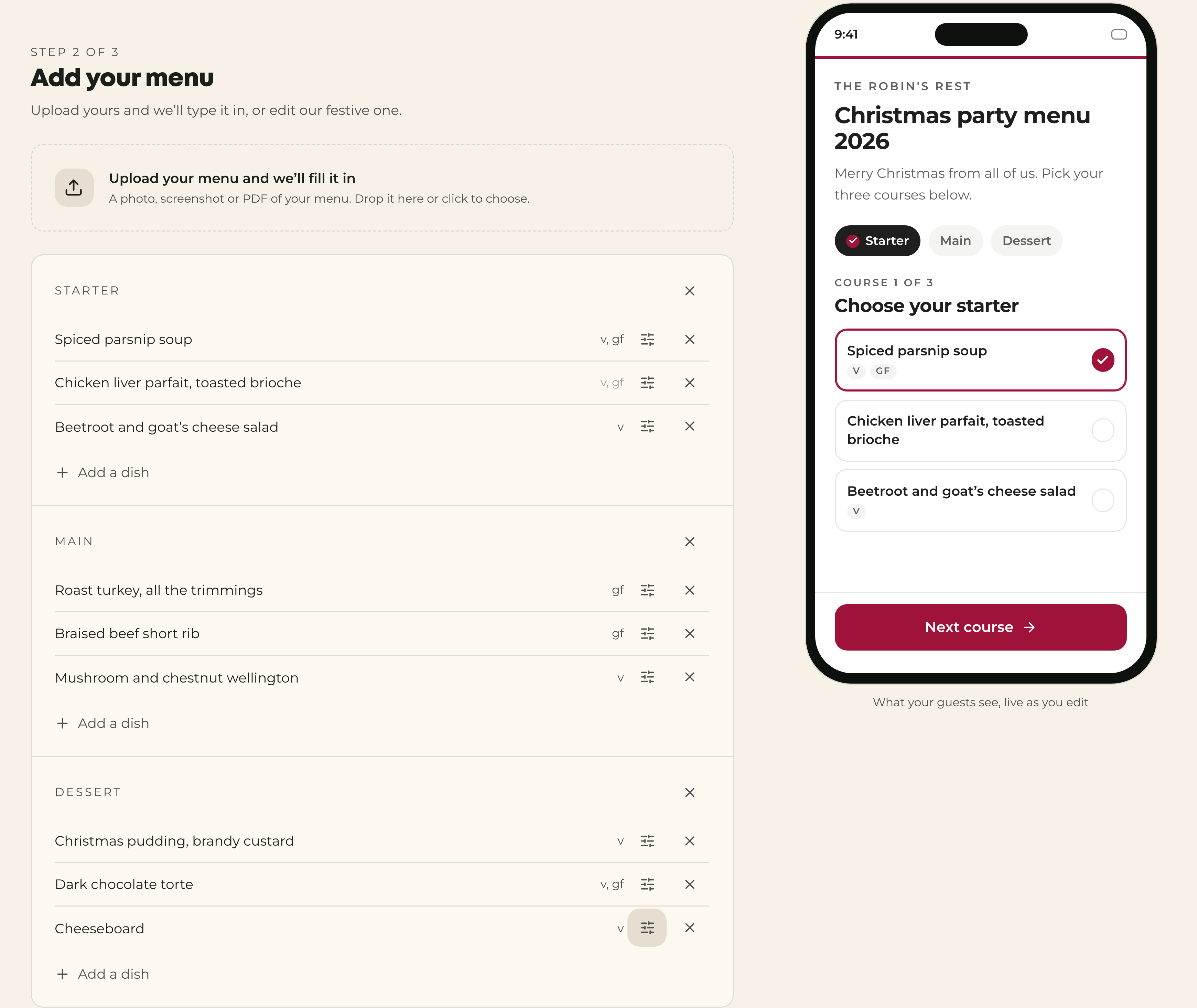
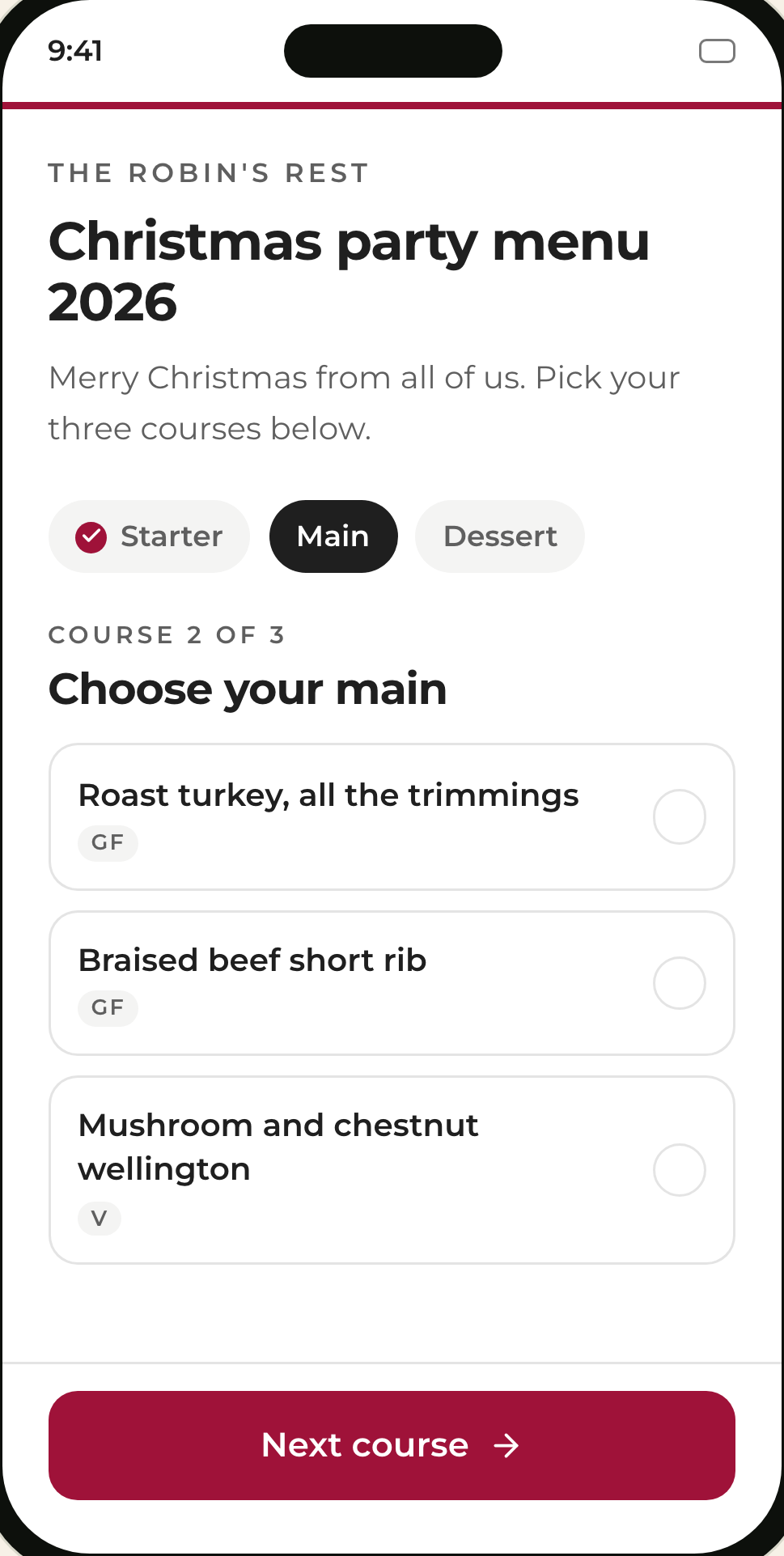
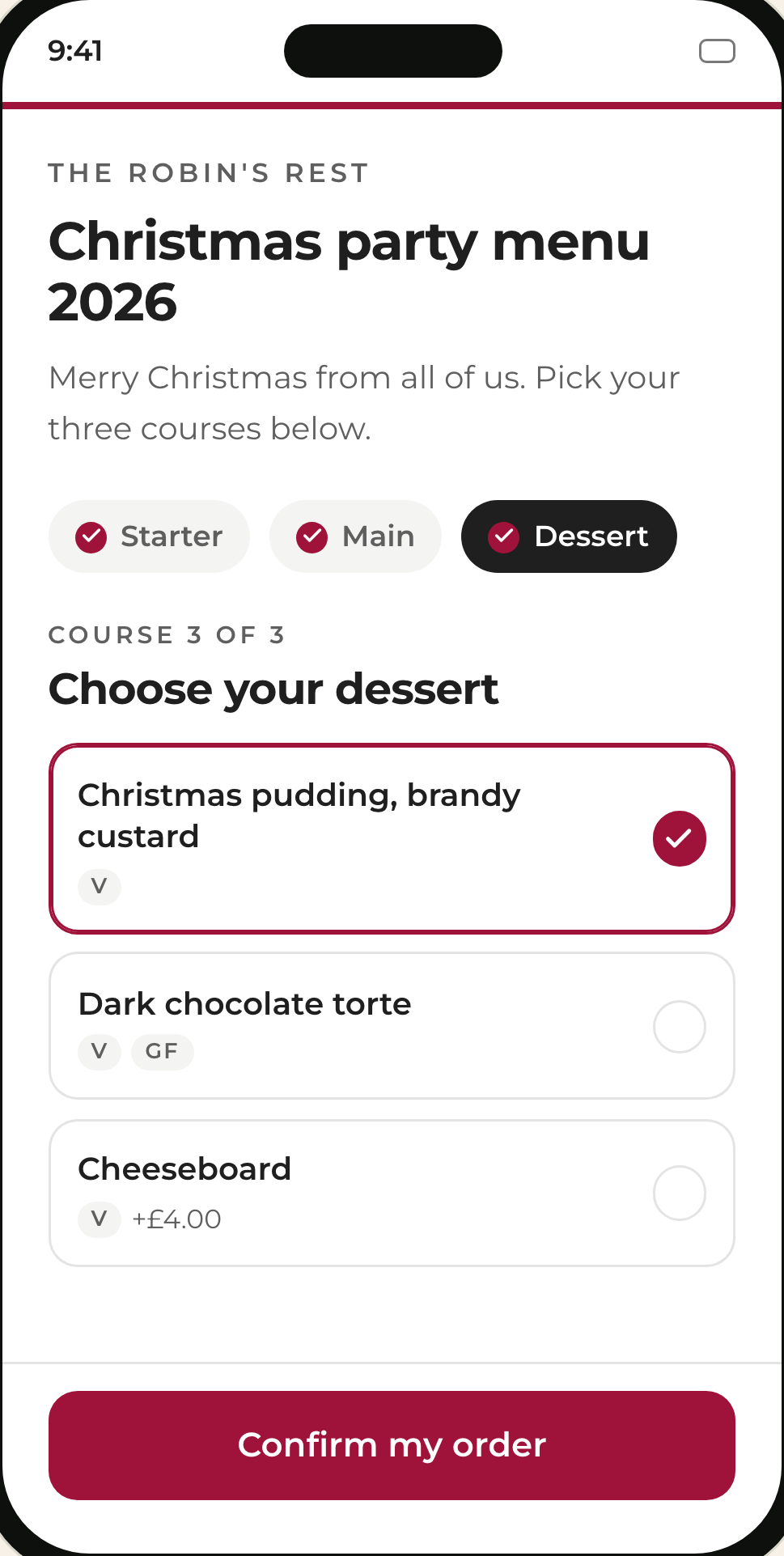
We built the free Christmas pre-order sheets for the first kind of venue. You brand the page, upload a photo or PDF of the menu you already have and it is typed in for you, then you share one link. Every pick and dietary note lands on a dashboard, counted up and ready to print. It takes about two minutes and needs no card.
When should pre-orders close?
Close Christmas pre-orders a few days before the party at the latest, and earlier for large parties, so the kitchen can order stock and prep to real numbers. Set the date when you take the booking and print it on the pre-order page, so the organiser can pass it on.
A simple timeline for a December party:
At booking: confirm the date, party size and menu, and take the deposit.
Straight after: send the pre-order link to the organiser to share with the party.
About a week before: a reminder to anyone who has not chosen yet.
A few days before (longer for very large parties): pre-orders close and the form locks.
The day before: print the counted kitchen sheet and brief the floor team on allergies.
A software cut-off matters more than the date you pick. Without one, changes keep arriving the morning of the party, and the sheet on the pass is wrong.
How should you take deposits for Christmas parties?
Take Christmas party deposits as a payment link with a deadline, not by phone, and release the booking automatically if it is not paid in time. For large parties, a deposit split into a payment now and a balance closer to the date is easier for organisers than one large payment.
There are two ways to protect a Christmas booking, and they suit different parties:
When the money moves
- Deposit
- When the guest books
- Card hold (cancellation charge)
- Only on a late cancellation or no-show
Best for
- Deposit
- Large parties and peak dates
- Card hold (cancellation charge)
- Smaller tables where a deposit puts guests off
Guest experience
- Deposit
- Pays up front, usually off the final bill
- Card hold (cancellation charge)
- Card details only, nothing taken if they turn up
| Deposit | Card hold (cancellation charge) | |
|---|---|---|
| When the money moves | When the guest books | Only on a late cancellation or no-show |
| Best for | Large parties and peak dates | Smaller tables where a deposit puts guests off |
| Guest experience | Pays up front, usually off the final bill | Card details only, nothing taken if they turn up |
In Stampede, a booking type uses one or the other. Either can be a flat rate or per cover, triggered above a party size you choose, with a free-cancellation window. A deposit can be split into a payment now and a balance due later, payment reminders chase an unpaid balance, and an auto-cancel policy can release the table if it is not paid in time.
How do allergies reach the kitchen?
Allergies reach the kitchen safely when each guest gives them with their own pre-order and they travel with the booking to the floor and the pass. A single note for the whole table, added by the organiser, is where they get lost.
UK food businesses have to give customers allergen information on the 14 major allergens (Food Standards Agency guidance), so the menu on your pre-order page should mark them clearly too. What software adds is the other half: knowing which guest at a table of twenty is coeliac before the starters go out.
In Stampede, allergy notes are collected person by person with the pre-order, sit on the booking, are flagged on the day planner, and the booking opens on the Square till when the party is seated, so the team sees them before anyone sits down. See how group bookings and pre-orders work for the full flow.
Where pre-order software doesn't help
Pre-order software will not fix a menu that is too long, a kitchen that cannot cook forty of the same main at once, or an organiser who never shares the link. It moves the admin from you to the guests, which only works if the link actually reaches them.
Three things that matter more than the tool:
A short menu. Three or four choices per course is easier for guests and much easier for the pass.
One owner per party. Someone on your team who owns the booking from enquiry to the night. Software can assign it (in Stampede, large parties can route to the enquiries manager with an owner and a status), but someone still has to follow it up.
A plan for late changes. Decide in advance what happens when someone swaps their main after the cut-off, and say it on the pre-order page.
How to set up Christmas pre-orders with Stampede
There are two ways to run Christmas pre-orders with Stampede, depending on whether you want payments and bookings in the same place.
This December only, free:
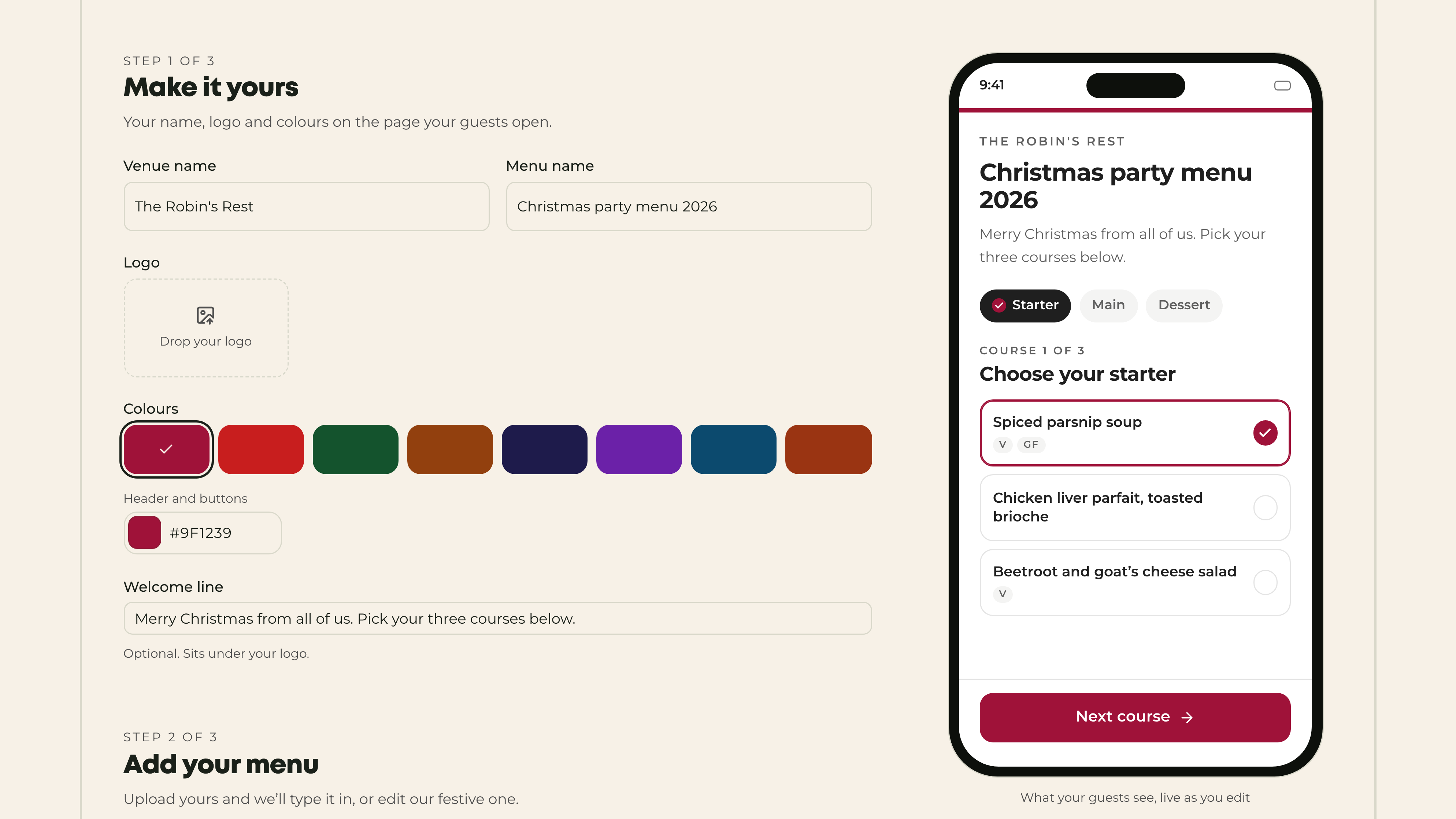
Open Christmas pre-order sheets and add your venue name, logo and colours.
Upload a photo, screenshot or PDF of your menu, or edit the festive one.
Set the service date and the date pre-orders close, add a note on allergies and deposit terms, and share the link.
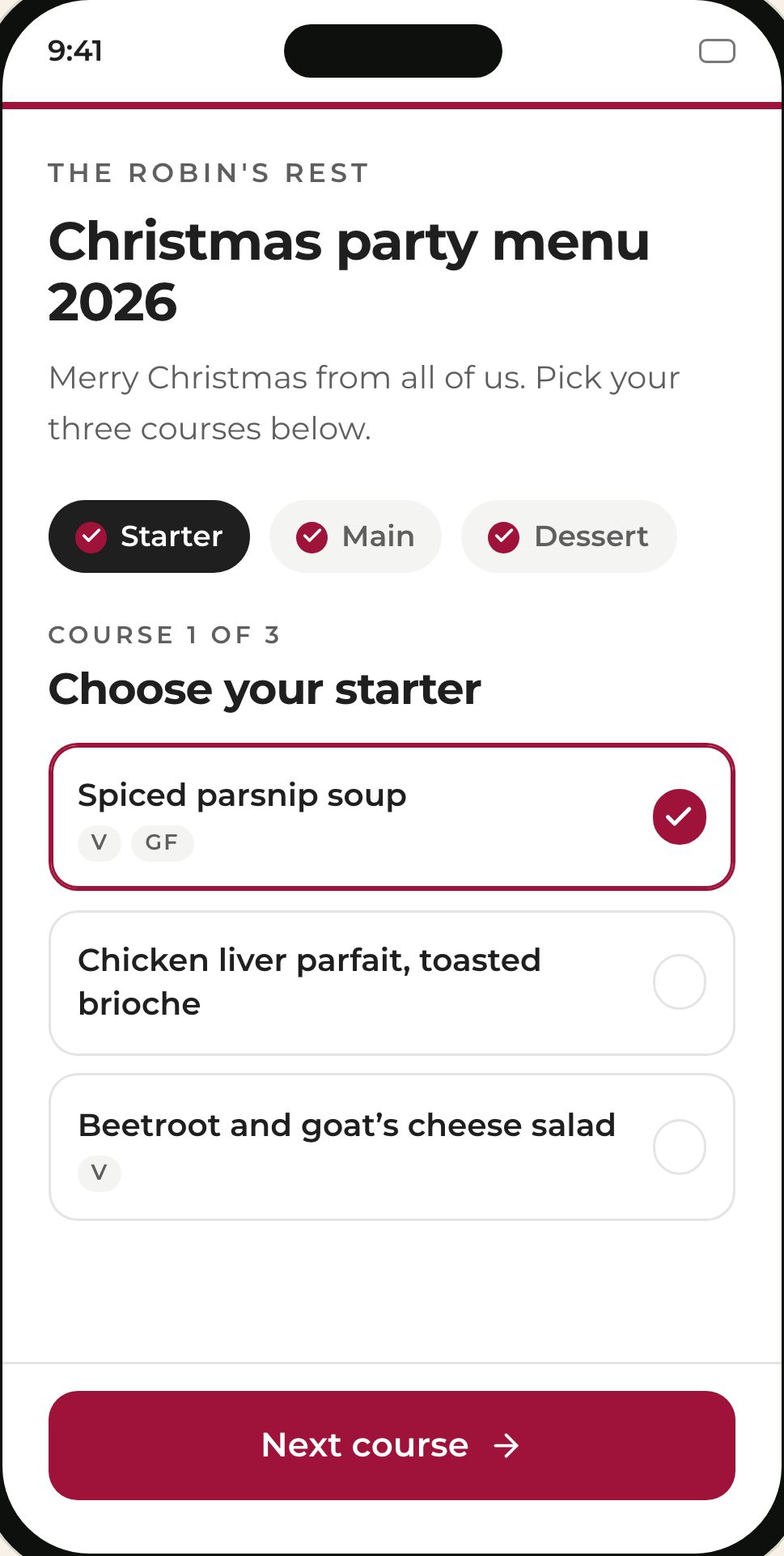
All year, with deposits:
Pre-orders are part of Stampede table bookings. You attach one or more menus to a booking type, guests choose dishes when they book or before they arrive, and the order is captured on the booking for the kitchen. Optional upgrades let guests add extras such as a bottle on arrival. Deposits and card holds run through your connected Stripe or Square account, and guest pre-order payments run through Stripe. If you are on Square, see Stampede for Square venues.
FAQs
What is Christmas party pre-order software?
Christmas party pre-order software lets each guest in a party choose their own courses before the event from one shared link. The venue gets a counted kitchen sheet with each guest's choices and dietary notes, instead of collecting them by email and spreadsheet.
Can guests pre-order without an app or an account?
Yes. With Stampede's free Christmas pre-order sheets and with pre-orders in Stampede table bookings, guests open a link on their phone and choose their courses. There is nothing to download and no account to create.
Can each guest pay for their own Christmas meal?
In Stampede table bookings, yes. Guests pick from your menu with modifiers and split-pay, and guest pre-order payments run through Stripe. The free Christmas pre-order sheets do not take payments.
Can a Christmas party deposit be paid in stages?
Yes. In Stampede, a deposit can be split into a payment now and a balance due closer to the date, with reminders for the balance and an auto-cancel policy if it is not paid in time.
How far ahead should Christmas pre-orders close?
Close pre-orders a few days before the party at the latest, and allow longer for very large parties, so the kitchen can order and prep to the numbers. Set the deadline when you take the booking and show it on the pre-order page.
See it running on your venues
One unified guest record across Wi-Fi, bookings, reviews and loyalty, and the marketing that acts on it.